To reduce B2B meeting no-shows, start before the calendar invite is sent. A prospect who does not know why they are meeting, who will attend, or what happens next may have little reason to protect the time on their schedule. For SaaS and ERP sales teams working across US and Canadian time zones, unclear expectations and logistics can compound that problem.
A no-show is not always evidence that the prospect was a poor fit. Emergencies, scheduling conflicts, unclear time zones and changed priorities all happen. The goal is to create a respectful scheduling process that gives qualified buyers the information and flexibility they need.
This guide gives SaaS and ERP revenue teams a meeting attendance playbook: qualification, buyer-friendly invitations, time-zone validation, responsible reminders, clear rescheduling ownership, respectful missed-meeting follow-up, and a scorecard with unambiguous denominators. The examples are operational suggestions, not evidence that any particular reminder sequence guarantees a result.
Quick answer: To reduce B2B meeting no-shows, confirm the buyer agreed to a specific purpose, send a trustworthy calendar invitation in their correct time zone, ensure the AE has the context, make cancellation or rescheduling easy, and respond to absences without pressure. Measure those steps separately from the number of meetings merely booked.
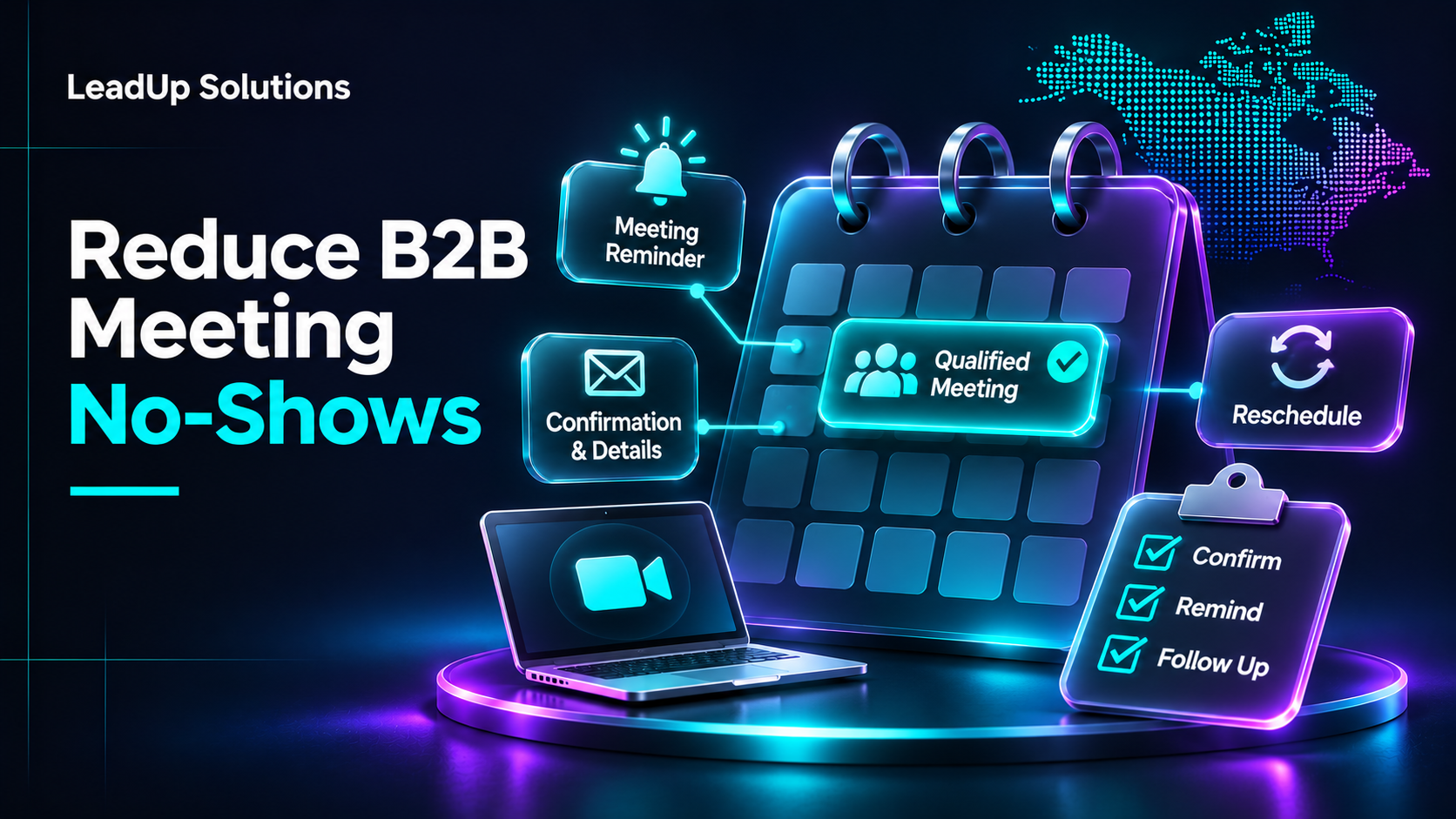
Understand why meetings fail to happen
Common reasons include an unclear reason for the call, an inappropriate stakeholder, a vague agenda, an inconvenient time, a confusing invitation, or lost momentum between initial outreach and the meeting.
Other reasons may be outside the team's control. A buyer can face an urgent business problem or genuinely change priorities. Do not treat every absence as misconduct or use increasingly aggressive follow-up.
The first diagnostic question should be whether the buyer understood and wanted the meeting, not whether the SDR sent enough reminders.
Diagnose the cause before changing the cadence
| What you observe | Possible explanation | First action to investigate |
|---|---|---|
| Meetings booked with little buyer context | Prospect agreed politely but has no clear purpose | Review qualification and invitation wording |
| Buyers ask who will attend | SDR-to-AE handoff and introductions are incomplete | Name the participants and meeting objective |
| Invitations differ from the buyer's local time | Scheduling or time-zone error | Audit the booking time zone and invite display |
| Frequent advance cancellations | Poor fit, conflicting priorities or long lead time | Ask whether the topic is still relevant; review booking lag |
| Meetings held but rejected by AEs | Qualification quality, not attendance | Inspect acceptance rules and handoff notes |
| Reminders trigger complaints | Excessive frequency, poor wording or channel mismatch | Reduce contact and honor preferences |
These are diagnostic hypotheses, not proof of the cause. Confirm patterns with real records and buyer feedback before making changes.
Step 1: Confirm a useful purpose before booking
A qualified meeting should connect to the prospect's business context. Ask why they would find the conversation useful and what outcome they expect.
A suitable purpose might be "explore whether the company's current process is a fit for a new workflow solution." It should not be "product demo" when the AE only intends a preliminary qualification call.
Use the same account-fit, buyer-role, need and meeting-purpose standards across the SDR and sales teams. For examples, see our qualified sales meeting checklist.
If the buyer says "not a priority" or "send basic information," do not force that response into a meeting simply to increase booking metrics.
A two-question booking check
Before sending an invitation, the SDR can ask:
"Would a short discussion about [the business issue you described] be useful? If so, would you prefer an initial discovery conversation with [AE role] or some information first?"
If the prospect agrees, confirm:
"To make sure we're aligned, would it be useful if the call focused on [agreed objective], with [AE name / role] attending?"
Do not put words in the buyer's mouth or pressure them to choose a meeting. An information request is not consent to a full sales sequence.
Step 2: Make scheduling easy and unambiguous
Confirm the date, local time zone and who will join. For a US or Canadian buyer, writing only "3 PM" without a zone is a preventable source of confusion.
Ask whether the time is realistic rather than selecting a convenient slot for your own team. Consider local business hours, relevant holidays, and seasonal clock changes. If the buyer requests a particular channel or meeting format, confirm that the sales team can support it.
A useful invite includes:
- Recognizable organizer and company.
- Clear, truthful meeting title.
- Correct date and time zone.
- Reliable video or dial-in details.
- Names or roles of expected participants.
- Brief agenda and objective.
- A simple, appropriate rescheduling path.
Do not add unnecessary tracking, third-party links or excessive attachments that could undermine trust or security.
Verify time zones instead of guessing
Use the buyer's actual meeting location and preferred time zone, not just the company's headquarters. Where your systems support it, store a named time zone such as America/New_York or America/Toronto and a UTC event timestamp. Check the specific meeting date for daylight-saving changes rather than hard-coding an "EST" offset.
Google Calendar's time-zone guidance explains how invitations display in each attendee's local time zone and how calendars account for daylight-saving changes. Confirm the final date and time with the buyer, especially when working across the US, Canada, and an offshore SDR team.
Copyable invitation text
Meeting title: [Your company] × [buyer company] — [agreed discussion topic]
When: [date] at [time and time zone agreed with the buyer]
Attendees: [buyer], [AE name / role], [other agreed participants]
Purpose: Explore [the buyer's confirmed issue] and whether [approved product/service scope] is relevant
Preparation: No purchase decision expected; bring any questions about [specific topic]
Join: [approved meeting link]
Change the time: [approved reschedule/cancel route]
This is a fictional example, not a ready-made CRM record. A real invitation should use verified details and should not disclose sensitive business information in a broadly shared calendar event.
Step 3: Transfer context before the buyer arrives
The SDR should write a concise handoff describing the verified account, stakeholder role, buyer-stated reason for meeting, prior interactions, agenda, and open questions.
The AE should review it before the meeting. If the closer asks the prospect to repeat a long conversation from scratch, the experience feels disorganized even when the appointment takes place.
Use our SDR-to-AE handoff guide for a reusable handoff template, and ensure the internal owner is explicit.
Make ownership visible before the appointment
| Activity | Suggested accountable owner | Completion check |
|---|---|---|
| Confirm ICP, buyer role and agreed purpose | SDR | Buyer context saved in CRM |
| Create calendar invite and verify buyer-local time | Scheduling owner | Correct timezone, link and attendee list |
| Prepare for the actual conversation | Assigned AE | Handoff reviewed and agenda understood |
| Handle accepted reschedule or cancellation | Named scheduling owner | Calendar and CRM updated once |
| Record attendance and meeting outcome | AE or designated host | Held / No-show / Cancelled recorded accurately |
| Decide whether any further follow-up is appropriate | Account owner | Buyer preferences and legal requirements checked |
These are example allocations, not a mandatory org chart. Teams can combine roles as long as every action has an accountable owner.
Step 4: Use reminders that help rather than pressure
A reminder is useful when it supports a meeting the buyer already agreed to. It should restate the agenda, participants, time zone and join link, and offer a simple way to reschedule. It should not quietly turn into a promotional email.
A confirmation sent when the meeting is agreed, followed by a carefully chosen reminder if needed, is a workflow option, not a guaranteed winning cadence. Decide the number and timing from the buyer's expressed preferences, meeting lead time, your actual scheduling system and applicable requirements. Some buyers will not need another message after a calendar invite.
HubSpot's meeting scheduling guide describes confirmation notifications, invitations and rescheduling links. Its capabilities may depend on how the tool is configured; verify your own booking and reminder settings.
Example confirmation for an agreed meeting
Subject: Confirmed: [agreed topic] on [date]
Hi [first name],
Thanks for agreeing to discuss [specific topic]. The conversation with [AE name] is scheduled for [date, buyer-local time and time zone]. Our aim is to understand [agreed objective]; no purchasing decision is expected on this call.
Join: [approved meeting link]
To change the time, use [approved rescheduling method] or reply to this message.
[Accurate sender information as required]
Example pre-meeting reminder
Subject: Your [topic] discussion — [date and buyer-local time]
Hi [first name],
A quick reminder about our agreed discussion of [topic] with [AE name]. Your meeting details are [date, local time zone and approved link]. If the time no longer works, you can reschedule through [approved method].
Thanks, [sender]
These are illustrative operational messages, not legal templates. Do not add offers or pitches unrelated to the agreed meeting. A booking does not authorize unlimited marketing.
Compliance: an appointment reminder is not automatically exempt marketing
In the United States, the FTC's CAN-SPAM business guidance distinguishes commercial messages from narrowly defined transactional or relationship messages based on primary purpose. Do not assume every meeting reminder qualifies for an exemption, especially if promotional content is included.
In Canada, CRTC guidance on CASL describes consent, identification and unsubscribe requirements for commercial electronic messages, subject to detailed exceptions. The CRTC's information session discusses specific exemptions for responding to a recipient's request or inquiry, but these are case-specific; a reminder should not be assumed exempt simply because a meeting is on a calendar.
Consult qualified legal guidance for your actual channel, message, jurisdiction, and buyer relationship. Honor expressed contact restrictions even when a narrowly defined message might otherwise be allowed.
Step 5: Handle rescheduling as a normal business event
A reschedule is not necessarily a failure. Make it easy for a genuinely interested buyer to propose a better time and confirm the new appointment.
Maintain the history of the original booking rather than creating an apparently new lead each time. The CRM should distinguish new bookings, reschedules, cancellations and no-shows.
Assign responsibility: who notices the change, who informs the AE, who updates the invite and who decides whether a new time is appropriate?
If the buyer repeatedly reschedules without meaningful engagement, review whether there is still a credible reason for the conversation. Do not pursue indefinitely.
A clean reschedule procedure
- Confirm the prospect actually wants a new time.
- Keep the same unique booking journey ID when changing the original meeting.
- Update the calendar invitation and notify the AE and any approved participants.
- Confirm the new buyer-local time zone and meeting link.
- Record
rescheduled_at, previousscheduled_for, newscheduled_for, and the next owner in CRM. - Stop any old reminders that would otherwise fire for the cancelled time.
A valid reschedule should not automatically create a second booked meeting in your acquisition report. Keep the history instead of deleting the original event.
Step 6: Respond to an actual no-show respectfully
When someone does not attend, record the outcome accurately and follow the organization's approved process.
A reasonable follow-up—if permitted—may acknowledge the missed meeting and provide one easy route to reschedule, without guilt or pressure:
"We missed each other for the discussion about [agreed topic]. If it is still relevant, I can help find another time; otherwise, no problem and we'll close the loop."
Do not claim the meeting was held, create a new "qualified meeting" entry automatically, or blame the buyer. Honor any preference not to be contacted again.
Differentiate a buyer no-show from an internal failure
If the AE or host was missing, the organizer had an incorrect link, or the meeting platform failed, do not label the buyer a no-show. Record an organizer/technical failure, apologize where appropriate, and resolve the scheduling issue before any permitted further contact.
If the buyer did not attend, verify the scheduled time has passed and check whether a cancellation or reschedule was already recorded. Don't assume the buyer ignored the invitation on purpose.
Illustrative post-no-show follow-up:
Subject: Regarding our [topic] meeting
Hi [first name],
We weren't able to connect for our agreed discussion on [date]. If [topic] is still useful, you're welcome to choose another time through [approved method]. If priorities have changed, that's completely fine and we'll close the loop.
Thanks, [sender]
Keep the tone neutral, avoid guilt or invented urgency, and stop when the buyer declines. HubSpot's no-show guidance similarly recommends acknowledging the missed connection without shaming the prospect.
Escalation rule: Repeated unacknowledged attempts should trigger review by the account owner, not an automatically expanding sequence across calls, email and social media.
An internal pre-meeting checklist
| Check | Owner | Result |
|---|---|---|
| Account and role meet qualification standards | SDR | Pass / Review |
| Prospect agreed to a clear meeting purpose | SDR | Confirmed / Unknown |
| Correct date, local time zone and link | Scheduling owner | Verified / Fix |
| AE knows the contact and the discussion context | SDR / AE | Ready / Missing |
| Appropriate reminder or confirmation arranged | Scheduling owner | Approved / Not needed |
| Reschedule ownership is clear | SDR / AE | Assigned / Unclear |
| Suppression and contact preferences respected | Account owner | Verified / Review |
Do not make unnecessary automation a dependency. A small team using a shared calendar and CRM can follow the same process if roles are clear.
A 60-second pre-meeting QA gate
Ask the scheduling owner to check the following before considering the booking ready:
- The participant specifically agreed to the purpose.
- The link loads and the attendee list is correct.
- The scheduled time makes sense in the buyer's location on that date.
- The AE has accepted the handoff and read the context, or any pending acceptance is clearly marked.
- A way to cancel or reschedule is accessible.
- Contact preferences and suppression status are not being ignored.
If an essential item fails, resolve it rather than sending a generic reminder to compensate.
Measure no-shows without distorting performance
Good no-show reporting separates new bookings, future appointments, reschedules, cancellations, held meetings, buyer no-shows, and organizer or technical failures.
| CRM status | Definition | How to treat it |
|---|---|---|
| Booked | Unique meeting journey created | Count once; preserve original booking time |
| Future / Pending | Scheduled time has not yet passed | Exclude from attendance denominators |
| Rescheduled | Same meeting moved to a new confirmed time | Keep original booking ID; update scheduled time |
| Held | Buyer and host had the intended conversation | Count in held results |
| Buyer no-show | Buyer did not attend, with no qualifying advance cancellation | Count in eligible attendance misses |
| Cancelled in advance | Meeting removed before attendance was expected | Track separately from a no-show |
| Organizer / technical failure | Host absent or meeting prevented by organizer/platform issue | Report separately; do not blame buyer |
| Accepted by AE | AE approves qualification criteria | Independent of whether the meeting was held |
Two different rates—not one universal show rate
Attendance / show rate may be defined as:
Attendance rate = Held ÷ (Held + Buyer no-shows)
This measures attendance among appointments where the buyer was expected to attend; advance cancellations and unresolved future reschedules are excluded.
A different due-booking realization rate can be defined as:
Due-booking realization = Held ÷ (Held + Buyer no-shows + Advance cancellations)
These definitions are examples of an internal reporting policy, not universal standards. Explicitly record how organizer failures, late cancellations, and reschedules affect eligibility. Keep booking cohorts and attendance periods consistent.
Worked example (entirely fictional): Suppose 20 meetings were booked. Five are still scheduled for future dates. Of the 15 whose outcomes are known, 10 were held, 3 were buyer no-shows, and 2 were cancelled in advance. Then:
- Attendance rate: 10 ÷ (10 + 3) = 76.9%.
- Due-booking realization: 10 ÷ (10 + 3 + 2) = 66.7%.
- Future appointments: 5 Pending; they are not missed meetings.
These are arithmetic demonstrations, not actual LeadUp results, market benchmarks or guaranteed outcomes.
A qualified meeting can be booked and accepted by an AE before its scheduled time; acceptance and attendance should remain separate CRM fields. Our published SDR-to-AE handoff guide explains acceptance and ownership without misclassifying cancellations. Keep a detailed metrics dictionary in your internal reporting documentation.
Minimum CRM fields
Store `booking_id`, `account_id`, `booked_at`, `scheduled_for`, `meeting_timezone`, `meeting_owner`, `attendance_outcome`, `reschedule_count`, `cancelled_at`, `buyer_no_show`, `organizer_failure`, `ae_acceptance`, and `next_action_owner`.
Include source channel, ICP segment, and the relevant buyer contact preference only where necessary. Restrict access and preserve event history. The next person should be able to tell whether a meeting is pending, cancelled, legitimately missed, or already held without making guesses.
Review causes by segment, not just overall rate
Compare, when sample sizes are meaningful, the different time zones, industries, buyer roles, appointment lead times and scheduling methods.
For example, if many missed meetings involve invites with incorrect time zones, the fix is operational. If prospects attend but AEs reject the meetings, the fix is more likely in qualification. Do not change the reminder cadence to solve an ICP problem.
Use a small number of concrete corrective actions per review, and track whether the change improves the process without creating more unwanted contact.
A weekly operational review
Review meeting outcomes by buyer-local time zone, industry, role, source channel, lead time between booking and appointment, and AE owner, but avoid conclusions from tiny samples. Identify the strongest evidence of an actual problem:
- Qualification issue: Many meetings booked without a clear prospect-stated purpose.
- Scheduling issue: Time-zone mistakes, unavailable AEs, invalid links or missing calendar updates.
- Communication issue: Important booking details buried in reminders or inappropriate contact frequency.
- Data issue: Reschedules counted twice, pending events marked missed, or internal errors assigned to the buyer.
Select one or two improvements, assign an owner, and compare consistent cohorts afterward. A quality-focused process should not reward inflated booking volume.
Common mistakes that increase missed appointments
A vague invitation. The buyer does not understand the value of the meeting.
Confusing time zones. A meeting is scheduled in the organizer's local time without clarity for the prospect.
No internal owner. SDR and AE both assume the other person confirmed the details.
Too many automated reminders. The experience becomes intrusive instead of helpful.
Unclear rescheduling. The buyer wants to attend but cannot easily change the time.
Treating every cancellation as a no-show. Reporting becomes unreliable and learning is lost.
Frequently asked questions
What is a good show rate for B2B appointments?
There is no universal number that fits all SaaS and ERP segments. Start with consistent definitions, clean cohorts and your own historical data rather than unsupported industry averages.
How many reminders should we send?
Use only appropriate, permitted reminders that genuinely help the participant. Frequency should reflect the buyer's preferences, local law, company policy and how the appointment was arranged.
Should a no-show be charged as a qualified meeting?
That depends on the service agreement and its exact definition of an accepted, held or billable meeting. Put the rule in writing before a campaign begins.
Should the SDR or AE reschedule?
Define one accountable owner, and ensure the other team member receives the update. The right allocation depends on your workflow.
Is accepting a calendar invitation proof the prospect will attend?
No. A calendar RSVP is a scheduling signal, not a guarantee of attendance, qualification, or purchase intent. Confirm the meeting purpose and the prospect's actual needs.
Should every reminder include a promotional call to action?
No. Keep agreed appointment logistics separate from new marketing. Whether a message is commercial or transactional depends on its content, purpose and applicable law, not just its subject line.
What if the AE misses the meeting instead?
Classify the issue as an organizer or technical failure where appropriate, take responsibility for fixing the process, and avoid recording the prospect as a no-show.
Connect attendance with sales quality
To interpret no-shows fairly, consult the B2B appointment-setting metrics guide, which distinguishes due bookings, held meetings, completed AE decisions and pending reviews with consistent denominators.
When the buyer attends, our SaaS and ERP discovery call checklist helps ensure that the conversation is useful enough to justify an agreed next action—not merely another meeting on the calendar.
Make the meeting worth attending
To reduce B2B meeting no-shows, qualify the meeting honestly, state its purpose, make logistics easy, carry context into the AE handoff and treat rescheduling respectfully. Those steps improve the buyer experience even when schedules change.
LeadUp Solutions works with SaaS, ERP and B2B technology businesses on lead qualification, appointment setting and managed outbound. If you want a cleaner path from interested prospect to useful sales conversation, book a discovery call with LeadUp Solutions.